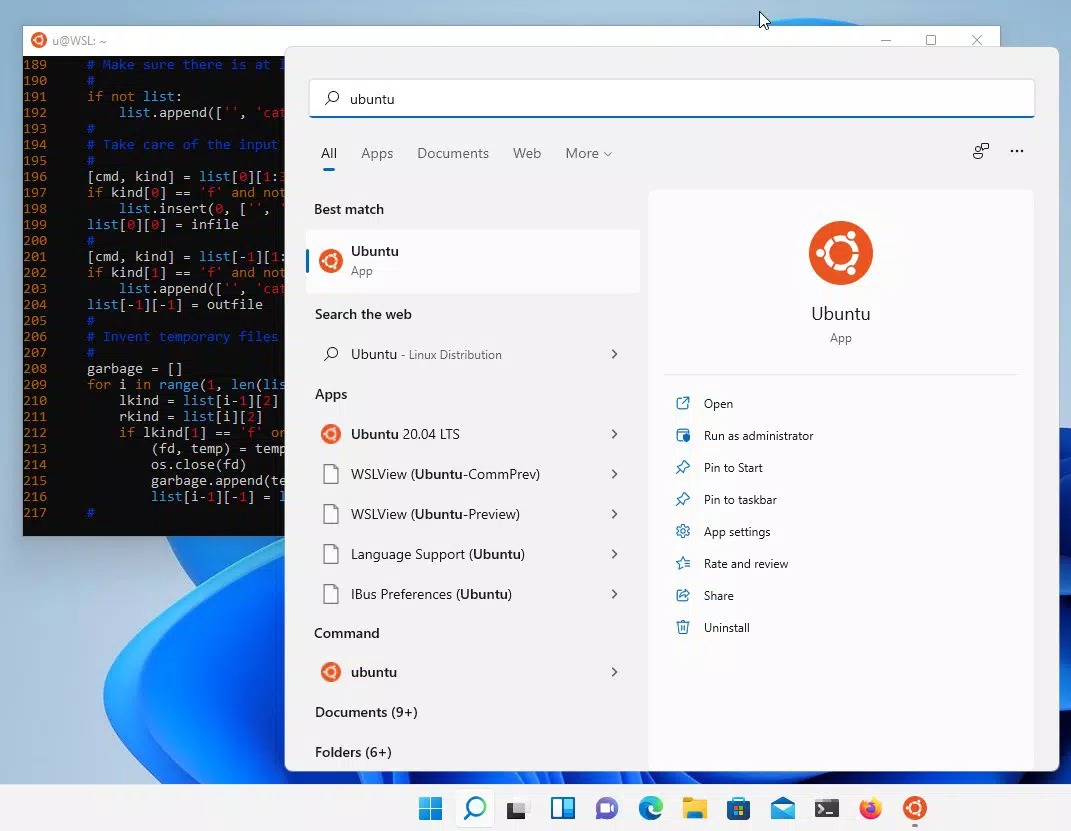

Download Ubuntu 20.04.6 LTS – terminal, command line, WSL, development, Linux, cross-platform, security, cloud, Docker, AI, machine learning, GPU, CUDA
Overview
Ubuntu 20.04.6 LTS delivers a powerful terminal environment through the Windows Subsystem for Linux (WSL), enabling users to develop cross-platform applications efficiently. Designed for both seasoned developers and newcomers, this release emphasizes performance, security, and ease of use. As a Long Term Support (LTS) version, it provides five years of security updates, ensuring a stable and reliable foundation for development workflows. The app is particularly valuable in environments where consistency across development, testing, and deployment stages is critical.
It serves as a bridge between Windows desktops and Linux-based development tools, allowing seamless integration of command-line utilities, containerized applications, and AI workloads. Real-world use cases include building cloud-native applications, managing Docker containers, running machine learning models with GPU acceleration, and maintaining secure, long-term development environments. The target audience includes software engineers, DevOps professionals, data scientists, and students exploring Linux-based development.
Developed by Canonical Ltd., a well-known name in the open-source community, Ubuntu 20.04.6 LTS continues the tradition of robust, enterprise-grade Linux distributions. Its focus on security and stability makes it a trusted choice for teams requiring consistent performance across extended project lifecycles. The developer did not provide additional technical details beyond the standard release notes.
Key Features & Functionality
- Efficient Command Line Tools: Includes essential utilities such as bash, git, and npm, streamlining task automation, version control, and package management across diverse programming environments.
- Improved Docker Performance: Enhanced startup times and resource efficiency for Docker containers, enabling faster deployment cycles and smoother development with containerized applications.
- GPU Acceleration via NVIDIA CUDA: Supports GPU-accelerated computing for AI and machine learning tasks, significantly improving processing speed for data-intensive models and complex computations.
- Consistent Cloud Workflow: Offers a unified development experience across local and cloud environments, reducing configuration drift and simplifying collaboration in distributed teams.
- Long-Term Security Patching: Provides five years of security updates, ensuring ongoing protection against vulnerabilities and maintaining system integrity over extended project lifespans.
These features collectively support real-world workflows such as deploying microservices with Docker, training machine learning models using GPU resources, and managing secure, long-running development environments. The integration with WSL allows developers to use Linux tools directly within Windows, eliminating the need for dual-booting or virtual machines.
Interface, UX & Performance
Ubuntu 20.04.6 LTS operates primarily through the terminal interface, designed for efficiency rather than visual polish. The user experience is centered around command-line interaction, making it ideal for users comfortable with terminal workflows. Navigation is linear and predictable, relying on standard Linux conventions and shell scripting practices.
Performance is optimized for WSL, with responsive execution of commands and efficient resource utilization. Although the developer did not list formal performance metrics, the version demonstrates improved startup times for Docker and enhanced GPU integration, indicating a focus on responsiveness. Stability is maintained through regular security updates and rigorous testing by Canonical.
Responsiveness across different device categories is consistent with WSL’s architecture, delivering reliable performance on both high-end and mid-tier Windows systems. The interface remains lightweight and does not introduce lag or visual delays. The developer did not specify minimum OS requirements or compatibility details beyond the platform.
Platform Compatibility & Technical Requirements
Ubuntu 20.04.6 LTS is designed for the Windows platform and runs exclusively through the Windows Subsystem for Linux (WSL). It requires a compatible Windows 10 or Windows 11 system with WSL enabled. The file size is 2.1 GB, which is typical for a full Linux distribution with development tools and dependencies.
Version 20.04.6 LTS is specifically tailored for long-term stability and security. The developer did not specify minimum OS requirements or exact hardware specifications. Compatibility information was not fully disclosed. Users should ensure their system supports WSL and has sufficient storage space to accommodate the installation.
Pros and Cons
Pros
- Long-term security support with five years of updates
- Seamless integration with Windows via WSL
- Optimized performance for Docker and containerized applications
- Support for GPU acceleration using NVIDIA CUDA
- Comprehensive command-line toolset for development and automation
Cons
- Primarily terminal-based interface, may not suit beginners
- Requires WSL setup, which may be unfamiliar to some users
- File size of 2.1 GB may be large for low-storage devices
- Limited visual interface options
- Specific hardware requirements for GPU acceleration
FAQ
Is Ubuntu 20.04.6 LTS free to download and use?
Yes, Ubuntu 20.04.6 LTS is available at no cost. It is an open-source distribution distributed under the GNU General Public License.
Can I use Ubuntu 20.04.6 LTS on any Windows PC?
It is compatible with Windows 10 and Windows 11 systems that support the Windows Subsystem for Linux (WSL). Specific hardware and OS requirements were not listed by the developer.
Does Ubuntu 20.04.6 LTS support GPU acceleration?
Yes, it supports GPU acceleration when paired with NVIDIA CUDA drivers, making it suitable for AI and machine learning workloads.
How long will Ubuntu 20.04.6 LTS receive security updates?
As a Long Term Support (LTS) release, it provides five years of security updates, ensuring ongoing protection and stability.
Is Ubuntu 20.04.6 LTS suitable for beginners?
It is designed for users with some familiarity with Linux and command-line tools. Beginners may benefit from learning resources but may find the terminal interface challenging without prior experience.
Final Thoughts
Ubuntu 20.04.6 LTS stands out as a reliable, secure, and high-performance development environment for users leveraging the Windows Subsystem for Linux. Its strong focus on long-term stability, security, and integration with modern development tools makes it a top choice for developers working on cloud-native, containerized, and AI-driven applications. The combination of efficient command-line utilities, improved Docker performance, and GPU acceleration delivers tangible benefits across diverse technical workflows.
While its terminal-centric interface may pose a learning curve for new users, the long-term advantages in consistency, security, and performance justify its adoption. Teams requiring a unified development-to-deployment pipeline will find significant value in its seamless cloud integration and extended support lifecycle.
Download Ubuntu 20.04.6 LTS now to enhance your development workflow with a trusted, secure, and future-proof Linux environment.


